
Searching with Overton IDs lets users target specific subsets of documents within Overton Index. Users may want to do this to report on the impact of a group of publications from their organisation or to focus on documents that match their research topics or themes.
We assign every policy document in our database a unique identifier called an Overton ID. This identifier is assigned at the document level (some policy documents are made up of multiple PDFs).
For example, this document published by NICE which is comprised of 9 individual PDFs has the following unique Overton ID:
nice-b1462e86175d388c84c7fffc91f8dbe3
Find a policy document’s Overton ID
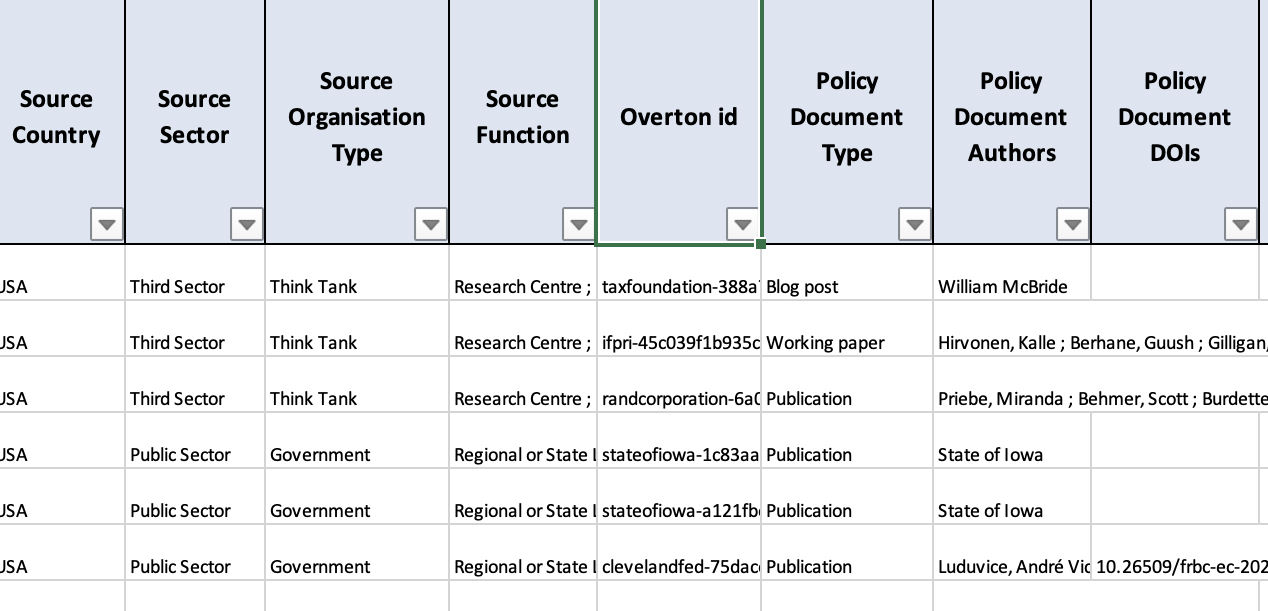
Overton IDs can be found in the user interface and in the Excel and CSV exports:
- In the webpage URL of the full policy document record following “id=”

- In the ‘Identifier’ section of the full policy document record, found on the left side of the page.

- In the CSV and Excel exports in the data column called “Overton ID”
How to search using an Overton ID
You can search for policy documents by their Overton ID directly from the start page or from the document search page itself.
