
filters and features
We launched the search history feature in June 2026. It lets you view, search, and filter your past searches in Overton. This includes both our main search pages and our data index pages.
If it’s been a while since you last logged in, you’ll see hints and tips. These introduce the feature and show you around the page.
Key points
- Your search history shows your last 6 months of searches.
- The search bar only searches your previous search terms.
- Adding a filter or updating a search term creates a new entry in your history.
- You can edit or clear your search history if you choose.
- Search history is helpful for extensive literature searches and research. Learn more about how to search Overton using our Advanced Search help page.
How to find your search history
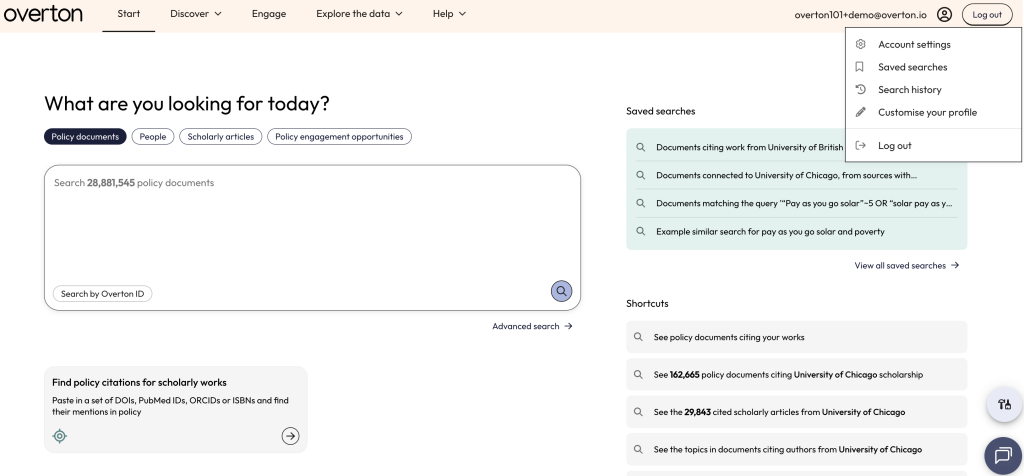
Users can click on the person icon in the top right corner and select ‘Search history’ from the drop-down menu.
Combining searches
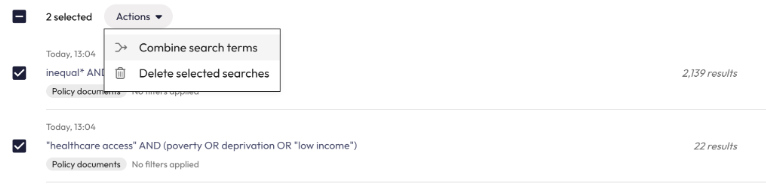
Users can combine previous searches from the search history page. Once you have selected two or more options from your search history the option to combine your searches will appear in the actions menu.
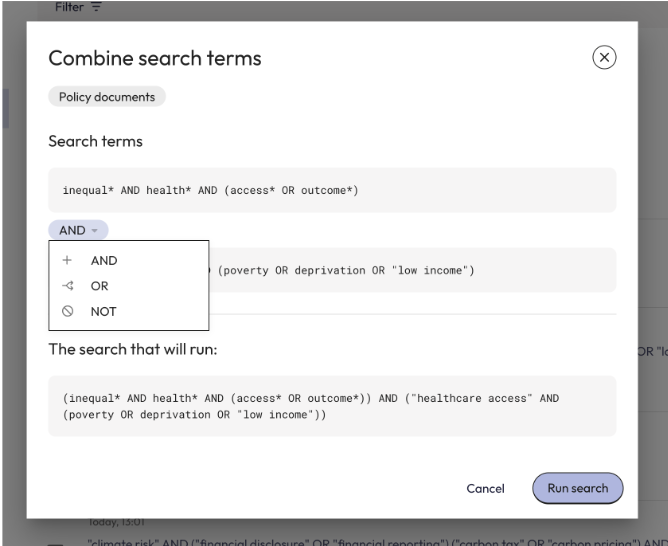
You can choose to combine your searches uses AND, OR and NOT boolean operators.
Limitations
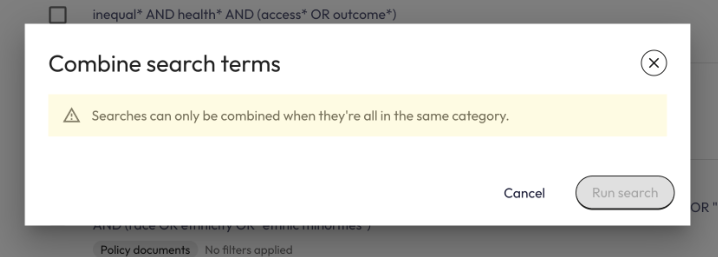
Please note that we are unable to combine searches from different indexes at the same time. For instance, a search within our database of policy documents and a search within our database of policy engagement opportunities.
Questions
If you have any questions or comments about the search history feature, please reach out to support@overton.io.