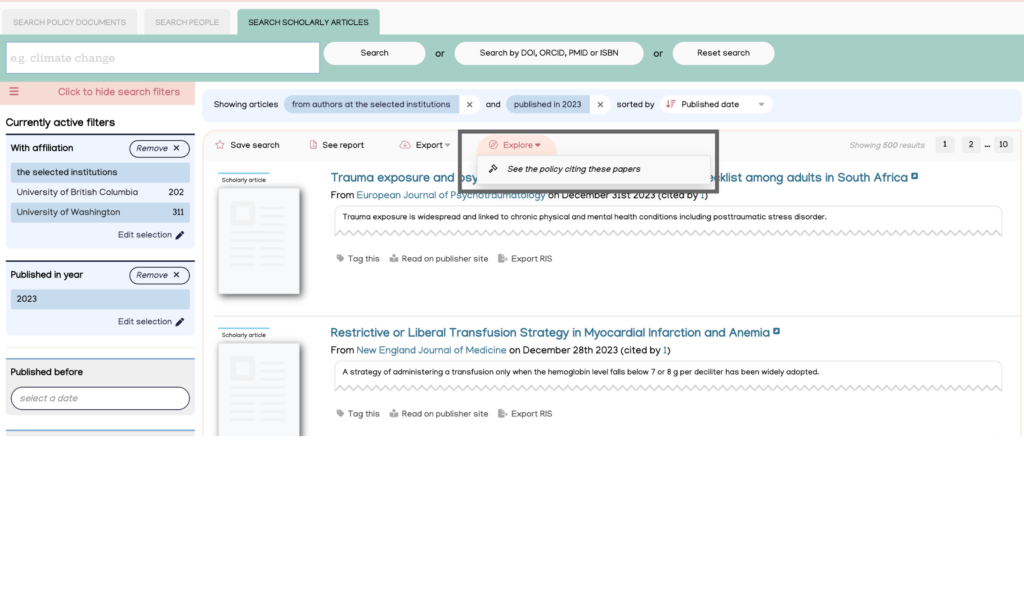
Find policy citations for scholarly articles cited in policy using DOIs and other unique identifiers and by institutional affiliation
Search from the main dashboard
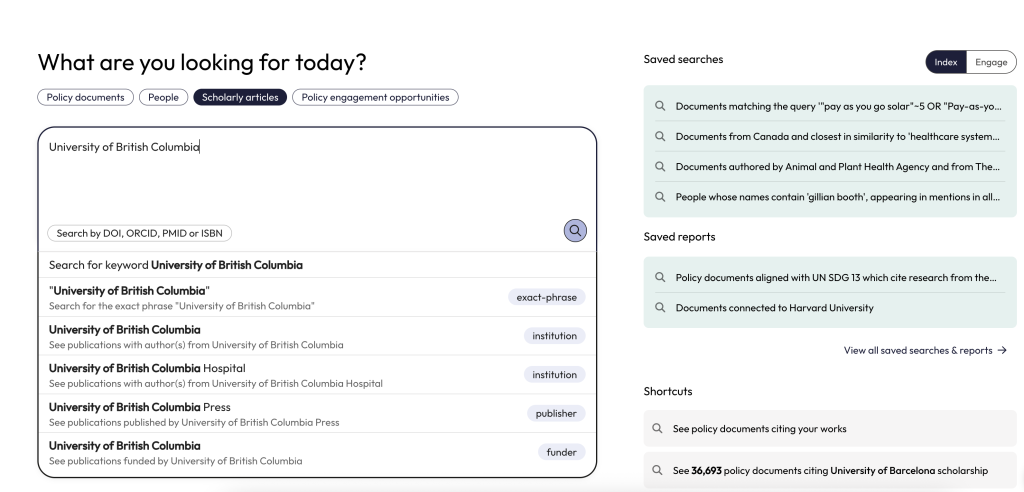
On the main dashboard, select the ‘Scholarly articles’ button above the search box and then enter your organisation’s name into the space below.
A dropdown will appear. Select one of the suggested searches options.
Search using DOIs
A DOI search is an effective way to find scholarly articles cited in policy documents. It is especially useful for locating citations of specific articles or groups of articles.
Researchers and research impact managers can use DOI searches to evaluate the policy influence of individual publications or sets of publications.
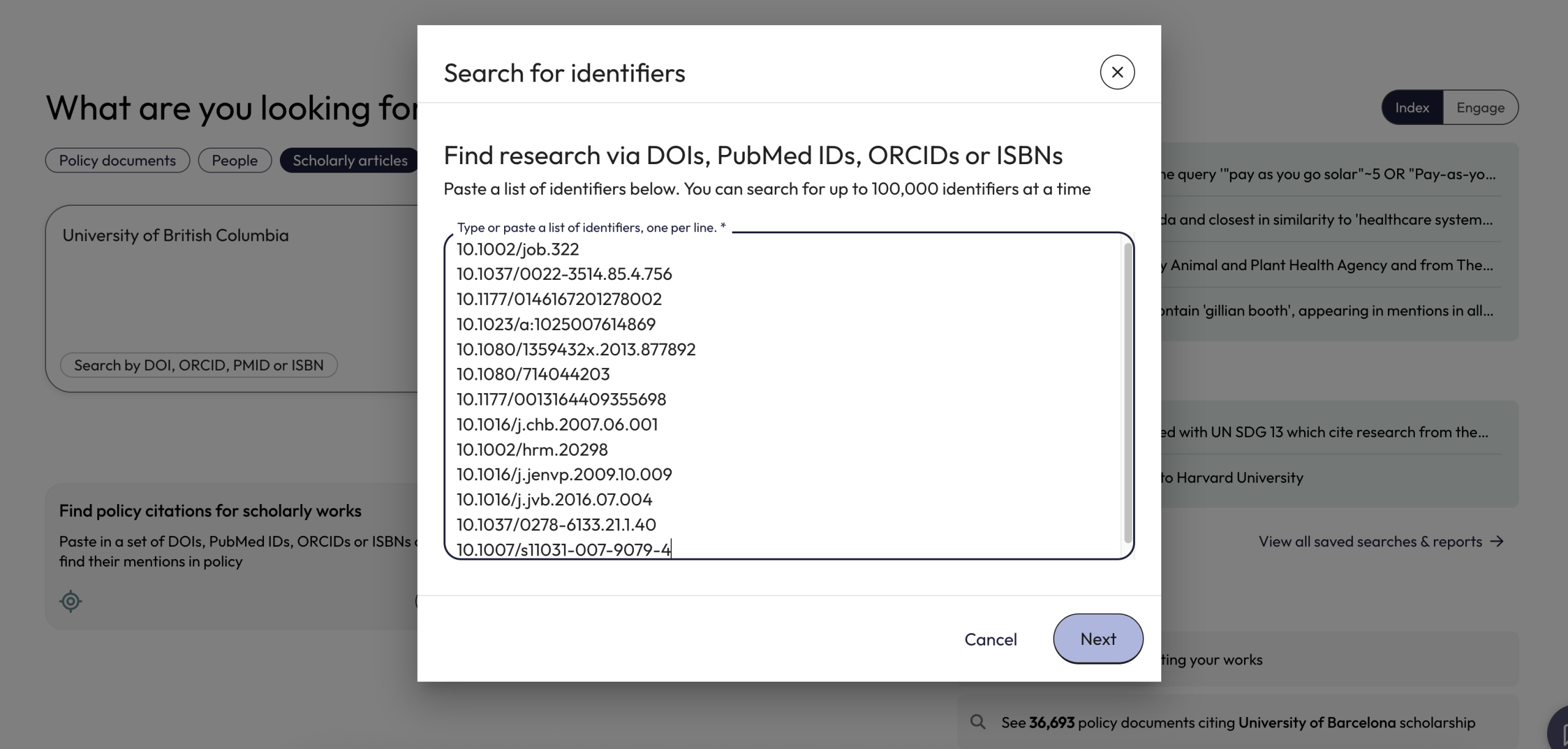
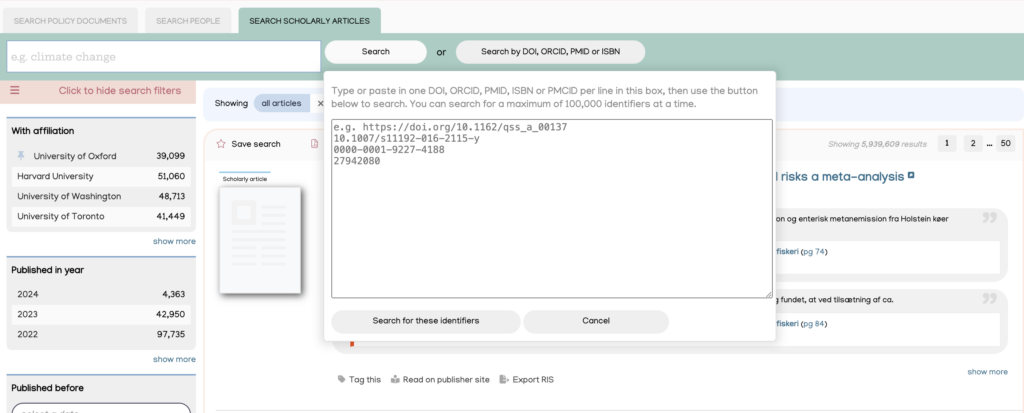
From the main dashboard, click on the ‘Find policy citations for scholarly works’ button. This opens a box where users can paste in a list of identifiers, including DOIs.
Users can also perform a DOI search from the ‘Scholarly Articles’ search using the ‘Search by DOI, ORCID, PMID, or ISBN’ button.
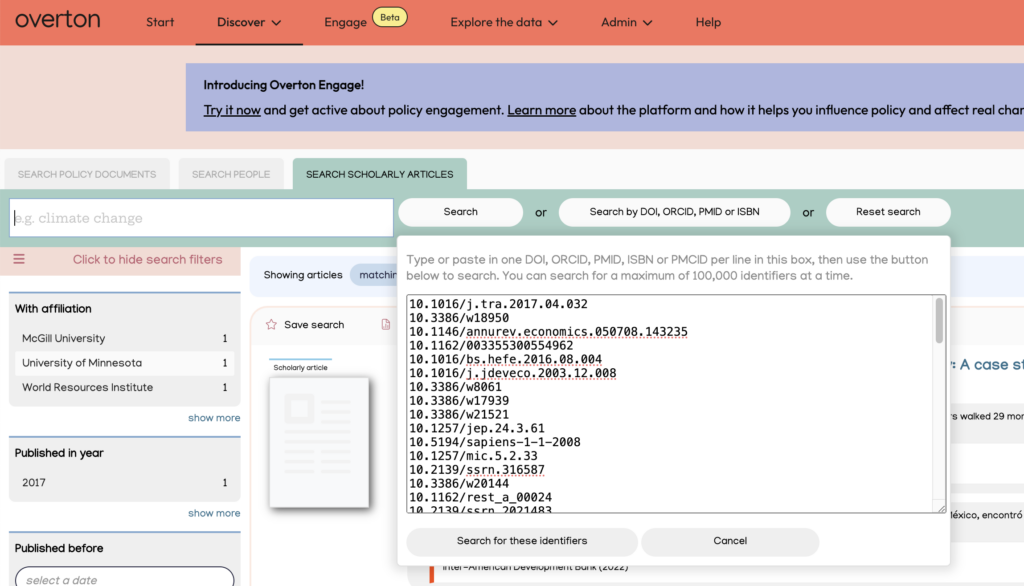
Follow these step-by-step instructions for a DOI search, or watch the video demonstration for additional guidance.
Video: Scholarly articles search using DOIs
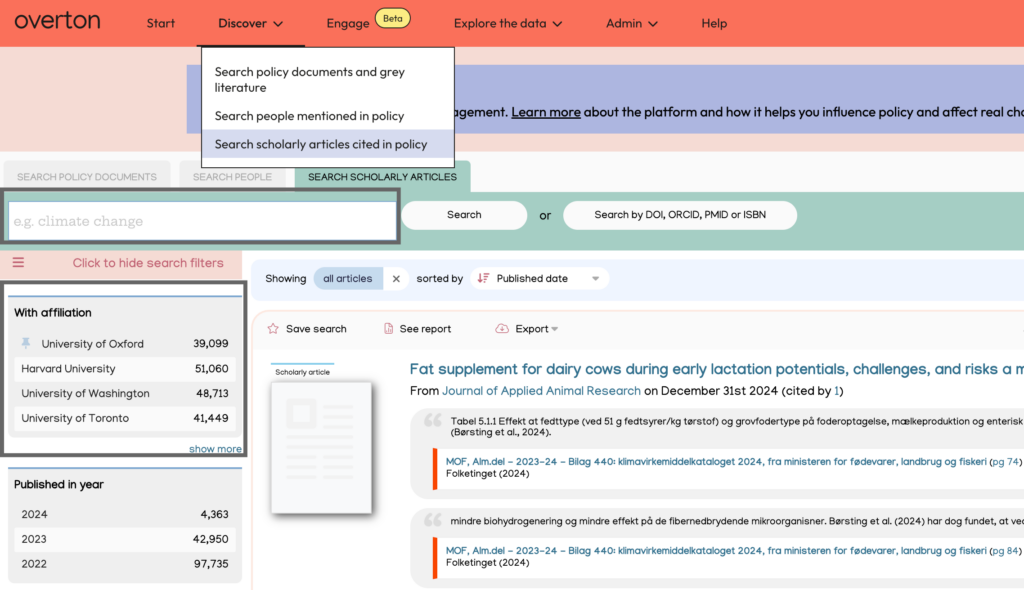
Search ‘Scholarly articles cited in policy’ (Discover)
Use the search box to find results by typing your organization’s name, journal title, funder, or publisher.
Alternatively, you can also apply the ‘With affiliation’ filter with your organisation selected to see the scholarly works from authors affiliated with your organisation which have been cited in policy.
Search using other identifiers
You can also search for policy citations using other unique identifiers such as PMIDs, ISBNs, or ORCIDs. Users can search from the main dashboard or from the ‘Scholarly Articles’ search.
Search results
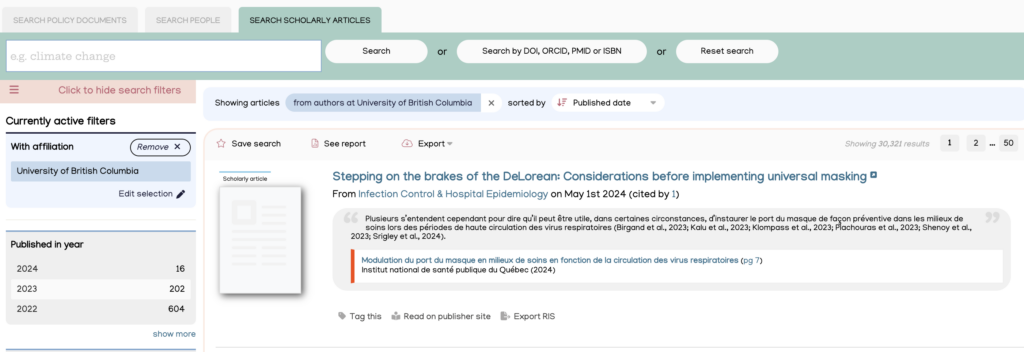
After you have run a search, you will see results displaying scholarly articles cited in policy.
Applying filters, exploring and exporting results
Filters can be applied to explore and further narrow down search results. Once satisfied with your search, you can save it, generate a summary report, export the results, or use the ‘Explore’ button to see the policy citing the scholarly articles.