
Advanced search: Expert mode
What is expert mode?
Our advanced search query builder guides you to create effective, precise searches. Our advanced search includes two modes: standard and expert.
Expert mode uses an Embase-style search syntax that helps you build systematic, complex multi-concept searches, giving you the flexibility to combine search techniques and search within new and multiple fields simultaneously. It is especially useful if you are building systematic searches and/or searching for grey literature for evidence synthesis.
Users who want more options for combining search techniques, proximity searches and multi-field searching will want to use expert mode.
Expert mode vs. standard mode
While expert mode offers additional techniques and flexibility, you may decide to use standard mode for simpler searches. For example, standard mode easily handles basic title searches, or searches that use well-defined, specific topics or search phrases.
See: Advanced Search: Standard mode versus expert mode and Advanced Search: Standard mode
Access expert mode
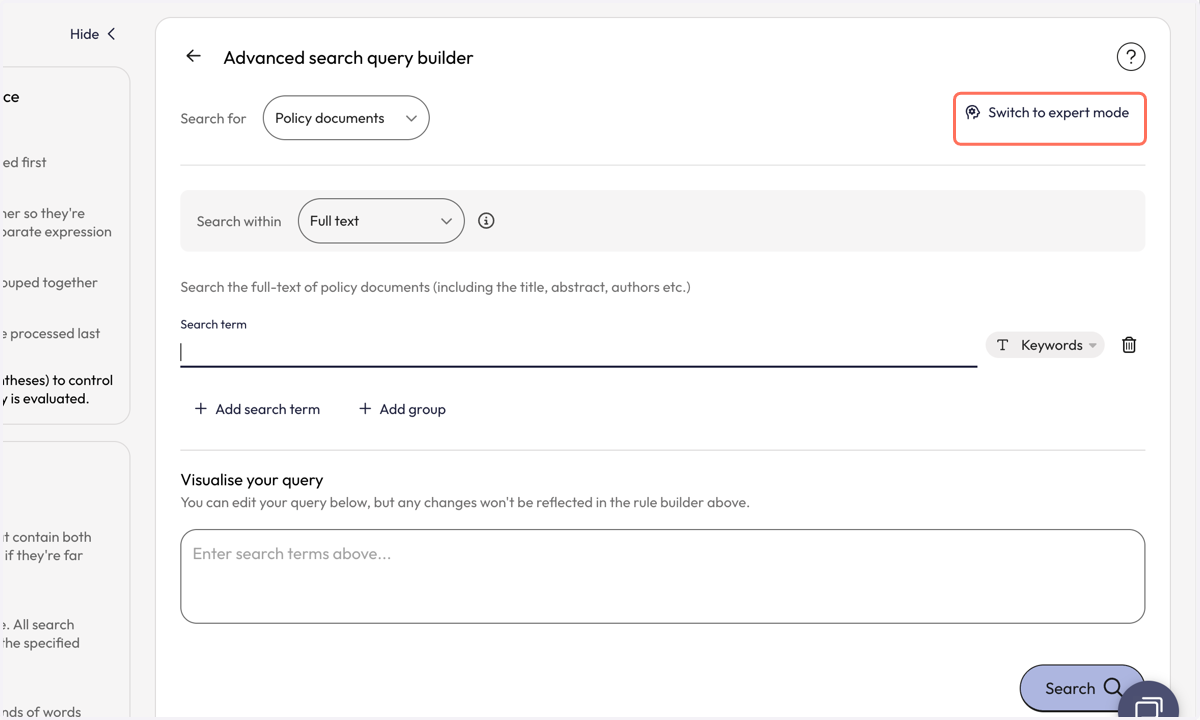
When viewing our advanced search builder, use the “switch to expert mode” button to switch to the new expert query builder. This will take you to expert mode.
User guide
To better support you in getting started with and using our advanced search in expert mode, we have created a downloadable user guide that brings together all the reference material you need in one convenient place.
Expert mode quick reference
A quick reference for the syntax available in Overton’s expert search mode.
| Technique | Syntax | Example | Retrieves |
|---|---|---|---|
| Activate expert search | complex: | complex:vaccine | Enables this syntax |
| AND | a AND b | complex:vaccine AND immunisation | Both terms present |
| OR | a OR b | complex:vaccine OR vaccination | Either term present |
| NOT | a NOT b | complex:vaccine NOT influenza | First term, excluding second |
| Grouping | ( … ) | complex:(a OR b) AND c | Controls precedence |
| Phrase | "…" | complex:"climate change" | Exact phrase |
| Truncation | * | complex:vaccin* | Any number of trailing characters |
| Wildcard | ? | complex:immuni?ation | Exactly one character |
| Proximity, unordered | NEAR / NEAR/n | complex:vaccine NEAR/3 immunisation | Terms within n words, any order (default 6, max 12) |
| Proximity, ordered | NEXT / NEXT/n | complex:climate NEXT/2 change | Terms within n words, in order |
| Phrase proximity | "…"~n | complex:"net zero"~2 | Phrase words within n words |
| Field — title | :ti | complex:diabetes:ti | Title and translated title |
| Field — snippet | :ab | complex:diabetes:ab | Document snippet |
| Field — AI description | :aidesc | complex:diabetes:aidesc | AI description and theme |
| Field — full text | :ft (or :kw) | complex:diabetes:ft | Full document text |
| Multiple fields | :x,y | complex:diabetes:ti,ab | Any of the listed fields |
Related resources
While most of this is covered in our user guide, here are our related Help articles: